How to Improve Email Deliverability: A 2026 UK Guide
UK consumers don't judge your email by its DNS records. 54% identify spam as their top email frustration, according to Twilio's UK email behaviours findings. That reframes how to improve email deliverability: you need to prove both that you're authorised to send and that the recipient still wants to hear from you.
Authentication is essential, but it won't rescue an unexpected campaign sent to an indifferent audience. A reliable UK email programme connects technical ownership, clear consent, recognisable design and disciplined monitoring. Fix those together, and you're building trust rather than chasing the latest spam-filter workaround.
Table of Contents
What Good Email Deliverability Looks Like in 2026 - Healthy email deliverability metrics and thresholds - Measure trust at mailbox level
Set Up Authentication Across Every Sending Platform - Follow a staged implementation - Make supplier ownership explicit - Deliverability symptoms, causes and fixes
Build Consent Into Signup and Keep the List Clean - Design permission around the actual experience - Use a repeatable hygiene cycle
Recover a Damaged Sender Reputation - Diagnose before restarting - Separate causes from distractions
Design and Test Emails That Earn Inbox Placement - Make the message recognisable and usable - Test decisions, not just appearance
Your 30-Day Deliverability Action Plan - Establish the baseline and technical ownership - Repair expectations and validate execution
What Good Email Deliverability Looks Like in 2026
Delivered doesn't mean visible. The DMA UK benchmark cited by Emarsys reports an average 99.2% delivery rate, but delivered messages can still land in spam; its cited sender guidance recommends keeping user-reported spam below 0.1% and never reaching 0.3%.
Your platform's delivery dashboard therefore answers only part of the question. Run seed tests across Gmail, Outlook, Yahoo and the UK mailbox domains your audience uses, then distinguish inbox placement from spam and rejection. A promotions tab is still an inbox category, not the same outcome as spam.
Healthy email deliverability metrics and thresholds
The operational targets below are working guardrails, not a promise of inbox placement. Where a target isn't a published benchmark, treat it as an internal intervention rule.
Metric | Healthy target | Act when | First fix |
|---|---|---|---|
Delivery rate | Aim above 99%, alongside the UK benchmark | Below your internal 98% warning level | Check authentication, volume spikes and blacklist status |
Inbox placement (seed test) | Most seeds reach the inbox at Gmail, Outlook and Yahoo | Spam placement rising | Compare templates, links and engagement by domain |
Spam complaint rate | Below the published complaint guardrail | At the published danger threshold, or earlier if rising | Pause sends, review consent, From name and frequency |
Hard bounce rate | Set an internal ceiling below 2% | Any sustained rise | Suppress invalid addresses immediately |
Unsubscribe rate | Low and stable against your own baseline | Rising week on week | Cut frequency and offer preference controls |
SPF/DKIM pass rate | All legitimate mail passes both checks | Any alignment failure | Audit the sender inventory and DNS records |
Don't interpret a low unsubscribe rate as proof of satisfaction. People may ignore messages or report them instead, especially when the opt-out is difficult to find. Read complaints, unsubscribes, clicks and placement together.
Measure trust at mailbox level
The UK Government's Cyber Security Breaches Survey 2025 found that 37% of businesses experienced a phishing attack or breach during the previous twelve months; among businesses experiencing a breach or attack, 85% experienced phishing. That's the environment in which recipients decide whether your campaign looks legitimate.
Use Google Postmaster Tools to inspect Gmail domain reputation and Microsoft SNDS for sending-IP signals where you have access. Shared-IP customers may need their email platform to investigate infrastructure-level issues.
Review reputation regularly: Compare provider-level changes with campaign dates, imports and frequency changes.
Check blocklists monthly: Run lookups for sending IPs and domains, then investigate relevant listings rather than requesting removal blindly.
Assign the first fix: Score your programme against the table and give the weakest metric a named owner.
Set Up Authentication Across Every Sending Platform
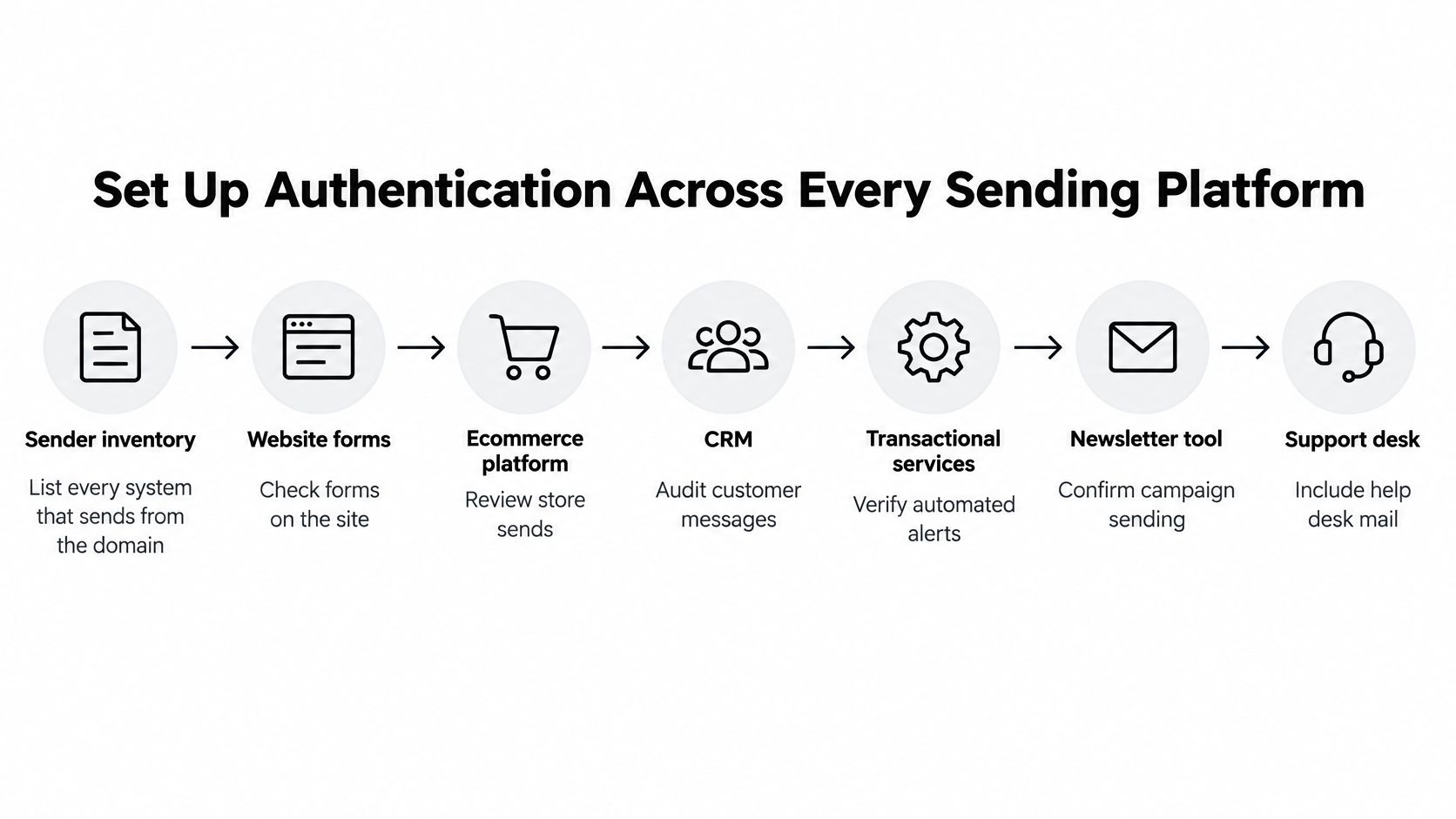
Start with a sender inventory, not a DNS editor. List website forms, your ecommerce platform, CRM, transactional services, newsletter tool, support desk and agency-managed accounts. Record the domain each service uses, its purpose, its technical owner and whether it still needs access.
A Klaviyo account can be configured correctly while a forgotten support platform still sends unauthenticated mail. The domain owner remains accountable for the overall setup, even when suppliers publish the instructions and agencies build the campaigns.
The inventory should cover the whole sending chain.
Follow a staged implementation
UK government guidance on secure email services recommends beginning DMARC in monitoring mode and increasing enforcement during implementation. That sequence lets you identify legitimate traffic before you start restricting failures.
Consolidate SPF. Publish a single SPF record covering authorised sources, checking the DNS lookup limit before adding another supplier. Multiple SPF records aren't a workaround, and unnecessary includes make the setup harder to maintain.
Enable DKIM for every service. Verify each platform's selectors and inspect a received message to confirm signing works. DKIM can support authentication through forwarding, so don't rely on SPF alone.
Check domain alignment. Confirm that the visible From domain aligns with the domain passing SPF or DKIM, and check the Return-Path configuration. For dedicated sending hosts, have the infrastructure owner verify forward and reverse DNS.
Start DMARC monitoring. Publish a monitoring-only policy with a reporting destination, then inspect aggregate reports across several sending cycles. Look for unfamiliar sending sources, authentication failures and services that appear only during occasional campaigns.
Resolve unexplained failures. Match each source to an inventory entry and test legitimate services that fail. Don't authorise an unknown sender to make a report look cleaner.
Increase enforcement cautiously. Move to quarantine once legitimate traffic is accounted for, then progress towards rejection when the evidence supports it. Monitoring-only DMARC provides visibility, not protection against spoofed messages being accepted normally.
Rehearse before scaling. Test authentication and alignment in staging, then send a controlled seed campaign from the production platform. Include transactional and support workflows in testing rather than checking only the newsletter.
Make supplier ownership explicit
The DMARC Report overview of European sender requirements describes Google and Yahoo's bulk-sender requirements around authentication, alignment, low complaint rates and one-click unsubscribe, alongside Microsoft's stricter high-volume Outlook.com and Hotmail requirements introduced in May 2025. Check each provider's applicable rules rather than assuming their implementation details are identical.
Give someone authority to approve new sending services and revoke old ones. An agency can own campaign production without owning the brand's DNS, but that boundary needs documenting before launch.
Separating marketing traffic onto a campaign subdomain can make operational management clearer. It isn't a licence to send unwanted mail, nor a guarantee that reputation problems stay isolated.
Practical rule: No new sending platform goes live until its owner, authentication and unsubscribe behaviour have been tested.
Deliverability symptoms, causes and fixes
Symptom | Likely cause | Fix |
|---|---|---|
Mail lands in spam after adding a new sending platform | Platform missing from SPF or DKIM not configured | Add the service to SPF, enable DKIM and retest with seeds |
DMARC reports show unknown sending IPs | Unregistered supplier or spoofing attempt | Identify the source, authorise legitimate services, then enforce |
Open rates collapse on one mailbox domain | Domain-specific filtering or reputation damage | Verify alignment, reduce volume to that domain and prioritise active readers |
Bounce spike after importing a list | Purchased, stale or mistyped addresses | Suppress hard bounces and confirm the opt-in basis |
Complaints rise after a frequency increase | Expectation mismatch and fatigue | Pause the ramp, segment by engagement and review consent |
Gmail or Yahoo flags missing authentication or unsubscribe | Bulk-sender requirements unmet | Complete DKIM, DMARC and one-click unsubscribe setup |
Use symptoms to narrow the investigation, not declare a verdict. An open-rate decline alone doesn't prove filtering, and a successful seed test doesn't prove every recipient received the same placement.
Build Consent Into Signup and Keep the List Clean
A technically valid address isn't automatically a suitable marketing contact. Consent records and recipient expectations need to agree, particularly when customers joined for a discount rather than an ongoing editorial relationship.
Under the ICO's PECR electronic-mail marketing guidance, marketing emails to individual subscribers, including consumers, sole traders and some partnerships, generally require prior consent. The main exception is the soft opt-in, where the organisation collected details during a sale or negotiations for a sale, markets its own similar products or services, and offered an opt-out at collection and in subsequent messages.
Pre-ticked boxes and vague permission aren't a substitute for clear, specific, informed positive action. Translate that into the interface: separate the marketing choice from completing a purchase, and make its wording understandable without opening another page.
Design permission around the actual experience
Say a beauty customer signs up to receive a discount on skincare. If the subsequent programme becomes frequent promotions across unrelated categories, the original acquisition story no longer matches their experience.
Make these decisions visible at signup and in the email:
Describe the content: Say whether subscribers will receive offers, product launches, tutorials or a combination.
Set frequency expectations: Explain the intended cadence, then offer a lower-frequency option when possible.
Separate message purposes: Don't make promotional permission appear necessary for order confirmations or service updates.
Explain the relationship: Include a short, accurate reminder of why the recipient receives marketing.
Make leaving straightforward: Show preference controls alongside a direct unsubscribe route, not as an obstacle before it.
Corporate subscribers need a different classification. The ICO's lawful-basis guidance explains that PECR's prior-consent requirement doesn't apply in the same way to corporate subscribers, although data-protection obligations can apply to named employees; sole traders remain individual subscribers.
A company-looking domain doesn't establish the legal category. Keep subscriber type, collection source, permission basis and opt-out history in your CRM rather than relying on an address-format guess.
Use a repeatable hygiene cycle
Audit acquisition sources. Trace addresses back to the form, checkout or other collection route. Don't buy or rent lists, and quarantine imports whose provenance you can't establish.
Suppress delivery failures. Remove hard-bouncing addresses from marketing immediately. Review repeated temporary failures using the platform's bounce reasons rather than retrying indefinitely.
Create an inactivity pathway. Choose a review window that fits your purchase cycle, reduce frequency and invite preference confirmation. Consider clicks, purchases and other reliable activity rather than treating missing opens as definitive.
Segment deliberately. Keep consent source, signup recency and engagement visible, with mailbox-provider breakdowns available for diagnosis. Don't bury a problematic acquisition source inside an otherwise healthy audience.
Close the loop. Use a bounded re-engagement attempt, then suppress people who remain inactive. Preserve suppression records so an old import can't reactivate them.
A smaller audience that expects your messages is more useful than a larger database you're afraid to stop mailing.
Preference management belongs in the customer journey, not just the footer. The same journey-led approach used in CRM email design should connect the signup promise, campaign content and exit experience.
Honour opt-outs across connected systems promptly. A suppression in the newsletter tool won't help if an agency account imports the same contact again.
Recover a Damaged Sender Reputation
When placement deteriorates, resist the urge to send a bigger campaign to compensate for lost response. Recovery starts with diagnosis and restraint, not a more aggressive subject line.
A redesign can improve recognition, but it won't repair an unauthorised sender or a poor acquisition source. Keep a change log so you can connect each intervention to the next campaign's results.
Diagnose before restarting
Confirm where the problem exists. Check sending-IP and domain blocklist status, then inspect Google Postmaster Tools and Microsoft SNDS where available. Compare seed placement, bounce responses and provider-level trends to distinguish a broad issue from filtering at a particular mailbox provider.
Stop the damaging activity. Pause the segment, acquisition source or automation associated with the deterioration. Review recent imports, changes in frequency and campaigns sent after long periods of silence.
Validate the sending stack. Inspect received headers and DMARC aggregate reports for every active platform. Investigate unknown sources and unexpected failures before asking a mailbox provider to reconsider your traffic.
Prepare a controlled restart. Suppress invalid and persistently inactive contacts, then begin with recipients showing recent, meaningful activity. Increase volume gradually only while delivery responses and placement remain stable.
Review recovery weekly. Track complaints, seed placement and provider-specific errors together. If a segment causes another deterioration, pause it rather than averaging its results into a healthier overall figure.
Separate causes from distractions
A blocklist listing needs context. Establish which identity is listed, why it was listed and whether the affected provider uses that signal before treating delisting as the complete solution.
For shared sending infrastructure, involve your platform's support team. You can control your audience and domain configuration, but you may not control the IP pool or have access to its full reputation history.
Avoid a bulk re-engagement blast: It brings the least responsive recipients back into the programme during its most fragile period.
Don't change everything at once: Preserve enough consistency to learn whether authentication, acquisition or frequency was responsible.
Don't switch domains to escape the problem: A fresh identity without better sending practices starts the same process again.
Recovery isn't complete when a test reaches the inbox. It's complete when ordinary campaigns keep doing so without renewed complaint or rejection problems.
Plan for a sustained recovery period rather than promising a fixed completion date. Mailbox providers need evidence of better behaviour, and your dashboard can't tell them to forget previous campaigns.
Design and Test Emails That Earn Inbox Placement
Design helps recipients recognise and use an email. It doesn't grant permission, override authentication failures or guarantee placement, but poor execution can undermine an otherwise sound programme.
Start with the details recipients see before opening.
Make the message recognisable and usable
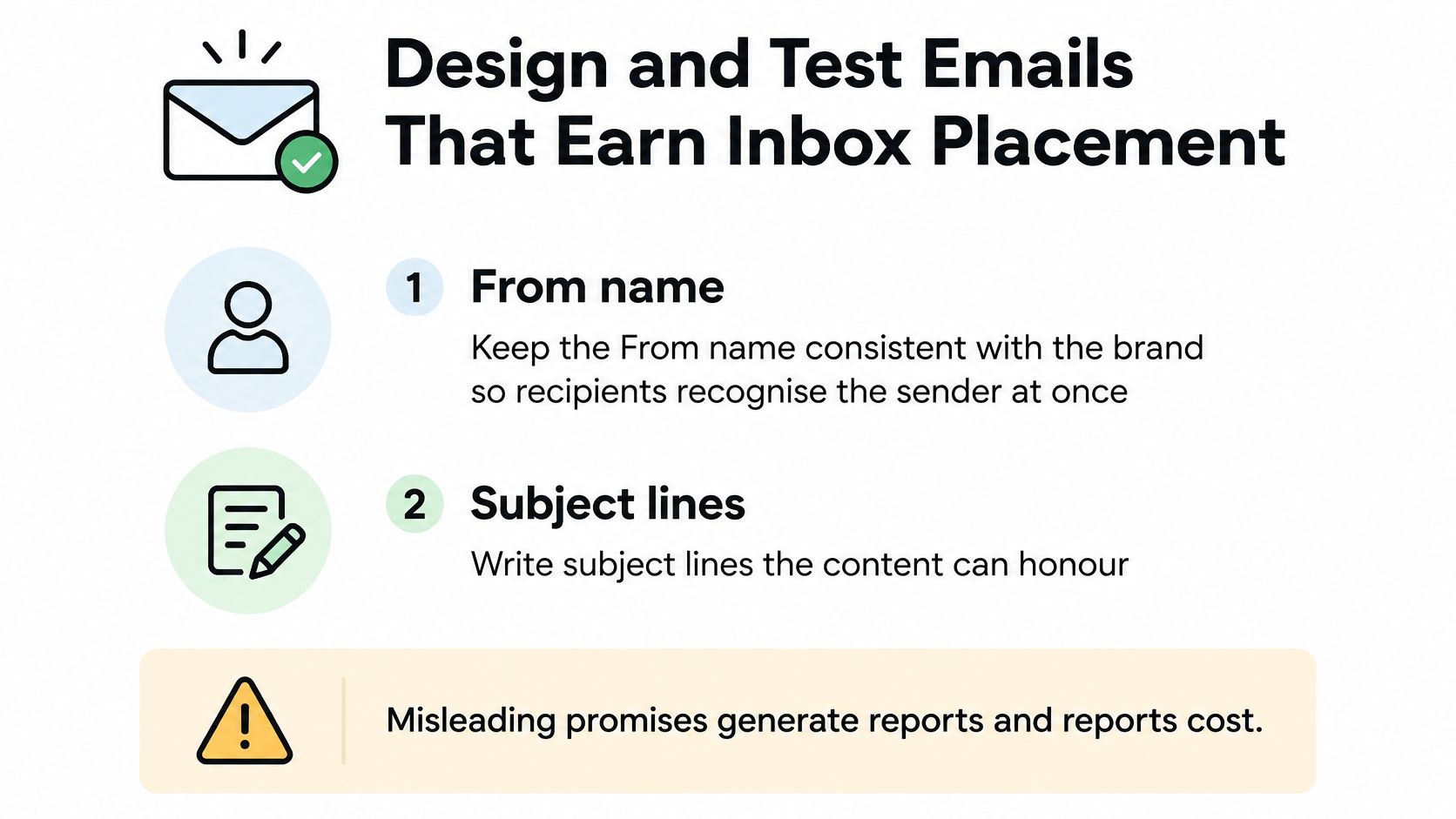
Keep the From name consistent with the brand and write subject lines the content can honour. Don't disguise a promotion as an account warning or suggest a personal reply when there wasn't a conversation.
Build responsive layouts with live text for essential information, descriptive alt text and buttons that remain usable on mobile. Check the message with images blocked: the offer, sender and next action should still make sense.
Use email design inspiration to study hierarchy and pacing rather than copying image-heavy compositions without testing their fallback behaviour. There's no magic image-to-text ratio that compensates for an unreadable message.
Keep links purposeful: Remove redundant destinations, avoid URL shorteners and inspect tracking redirects.
Test the whole journey: Check the landing page, offer terms, mobile experience and preference links.
Treat tools as production aids: Iterate layouts in Figma, then build and test their actual behaviour in Klaviyo or Mailchimp.
This video offers another format for reviewing email execution.
Test decisions, not just appearance
Seed-test major sends across Gmail, Outlook and Yahoo. Use A/B tests to answer a specific question about subject lines, timing or content within a comparable segment, rather than changing several variables and guessing which mattered.
Our CRM email design work combines responsive design, deliverability best practices, campaign planning and A/B testing, using Klaviyo, Mailchimp and Figma. We've also designed and built multiple trade-driving emails for Waitrose & Partners, where production quality and campaign purpose need to work together.
Before release, require a recorded pre-send check:
Identity: Correct From name, sending address and reply destination.
Authentication: Expected signing and alignment verified on received mail.
Accessibility: Live text, alt text and readable mobile layouts.
Exit route: Visible unsubscribe, working preferences and appropriate one-click functionality.
Fallback: Plain-text version present and coherent.
Evidence: Links checked and seed results reviewed by the campaign owner.
Your 30-Day Deliverability Action Plan
Use the month to establish ownership and a working operating rhythm. Don't turn the calendar into a deadline for enforcement if legitimate traffic still fails authentication.
Establish the baseline and technical ownership
Week one is for measurement. Build a dashboard that separates acceptance from placement, retain provider-level views and identify the audience sources associated with complaints. Inventory every sending service and assign responsibility for technical changes, consent records and campaign approval.
Week two is for authentication. Consolidate SPF, verify DKIM for each service and enable DMARC reporting in monitoring mode. Keep a record of changes and test workflows that don't appear in the regular campaign schedule, including support replies and automated ecommerce messages.
Repair expectations and validate execution
Week three is for the audience. Review signup wording against what you send, repair missing provenance and apply suppressions consistently. Introduce engagement-led segments and an inactivity route that ends in a clear decision, not endless reminders.
Week four is for controlled validation. Apply design fixes, run seed tests and test a meaningful campaign variable. Increase DMARC enforcement only when aggregate reports demonstrate that legitimate services are accounted for and passing the necessary checks.
Repeat monthly: Review reputation signals, blocklist status, complaints and acquisition quality.
Review after changes: Retest new platforms, domains, templates and signup routes before normal-volume use.
Keep accountability visible: Record who approves imports, who handles opt-outs and who can pause sending.
For teams coordinating email with digital campaigns, include the acquisition promise in campaign sign-off. An advert offering a discount and a signup form promising occasional updates shouldn't feed an intensive promotional sequence without a clear expectation-setting step.
Deliverability is an ongoing trust programme, measured through wanted messages and complaints avoided, not merely records published. If internal capacity is limited, specialist freelance support can bring 12 years of experience across UX/UI, branding and CRM email design to campaign execution and consistency across customer touchpoints.
Steeve Elgui offers UX/UI design, branding and CRM email design to connect the signup experience with recognisable, responsive campaigns. Visit Steeve Elgui to discuss your current email programme, the templates or journeys that need attention, and the freelance support your team needs.
Comments